The Sales & Deposits configuration is where you advise the weintegrate app how you wish to fine tune how the Shopify sales and deposits (created from Shopify payouts) are created in your QuickBooks Online.
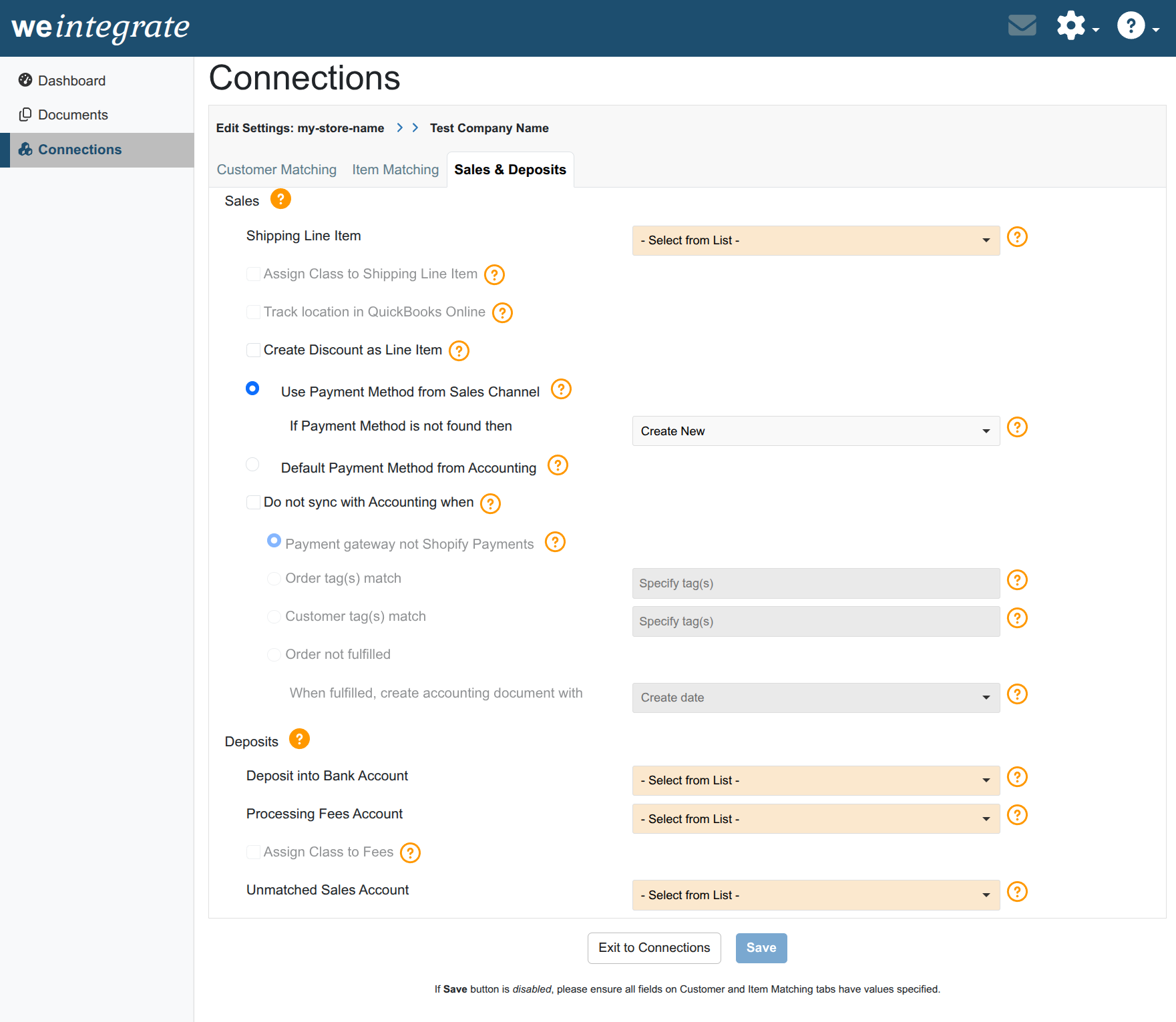
The values you specify in your Sales & Deposits Settings are store specific, and will be used only for the Shopify Sales Channel you are updating. While weintegrate presets all of the white background dropdown lists with default values, you are welcome to change these values as you see fit. All dropdown lists with an orange background are however not preset, as the values of these dropdown lists are populated with data from your QuickBooks Online account, and are custom to you. You will need to set these default values yourself, based on what best suits your business needs. Please note that all dropdown lists require a value to be set in order to proceed to the next step.
Click any of the following links for specific instructions of how to manage each of the Sales & Deposits: